|


Non-Direct
--(Improves Your Organization)
|
Subjective
--(What is it Worth to You?)
|
 |
Checklist and equipment list reduce errors |
|
Single electronic storage area for every inspection |
|
Field
module can be used as stand-alone product 9 |
|
|
Speeds data entry 1 |
|
Media
files are mapped to specific reports |
|
Historical archive 10 |
|
|
Allows pre-loading of specific previous inspections 2 |
|
Statistical Analysis
5 |
|
No trips to the storage facility to
search for docs |
|
|
Eliminates photo naming |
|
Open server-side data
6 |
|
No unidentified photos |
|
|
Eliminates searching file folders for photos |
|
Historical media files can be quickly
located 7 |
|
Reports can be generated in remote
locations |
|
|
Auto generates multiple report types |
|
Report text is standardized via
boilerplate libraries |
|
Electronic instead of paper storage |
|
|
Allows print preview of each report element |
|
Report format is standardized
via report elements |
|
Remote access to the global repository
(via server) |
|
|
Allows individual report element and media selection 3 |
|
Single point of IEE report data
collection training |
|
Provides equipment usage log for legal
issues |
|
|
Combines custom text with boilerplate |
|
Standardizes procedures between branch
offices |
|
Allows remote access QA of project
(via server) |
|
|
Allows custom text formatting |
|
Improves report quality
8 |
|
User branding available
11 |
|
|
Wireless photo transfer capable |
|
Allows departmental collaboration (via
server) |
|
Microsoft® Windows® programming
solution |
|
|
Tablet ready
4 |
|
Tracks equipment usage (via bar code) |
|
Reduces time to deliverable |
|
|
Reduces QA time of upper level staff |
|
Paperless review and correction (QA) |
|
Reduces typos and omissions in
deliverable |
|
|
Increase field resource availability |
|
Reduces report generation desktop
clutter |
|
|
1. Drop down menus speed criteria selection
Logical data separations organize the collection
process (project, interview, site, findings, equipment)
Page prints for each page allow individual hard
copy
Separation of findings data by zone, area,
finding and measurements reduces confusion on large projects
2. Client / Server version
Provides historical reference for repeat or
similar inspections
3. Introduction or first page, report text, TOC, site
detail, findings detail, equipment data
Site photos, site plans, finding photos and
attachments
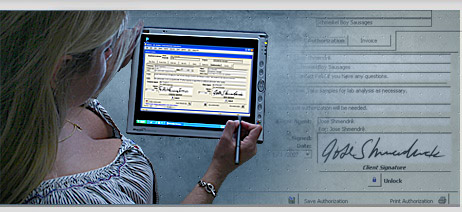
4. Supports TabletPC functions (pen, voice)
5. Single report or a list of reports can be returned based
on specific mix and match criteria
Search by project name, inspection type, Lat-Lon
box, client and / or date range
6. Server-side data is simple format (rows and columns) and
can be exported seamlessly to any technology
SQL server, MS Access, Oracle, IBM DB2, Excel,
Word, etc
Media files can be of any type, JPG, BMP, DWG,
PDF, DOC, XLS etc
JPG files are used internally in reports
7. Historical media files can be instantly located via the
search engine in the application
8. Reduces spelling and format errors caused by using
previous report docs as templates
Integrated application spell checker connects to
your custom MS Word dictionary.
9. No server is required to operate the application. Global
data replication is optional
10. All inspections are stored in perpetuity. They are
retrieved by the integrated search engine
All related media files are returned regardless
of their use in the report
11. End user name and logo can be incorporated into the
graphic interface. |